




PATCH: Customizations and Aspect Gear Hues
01 / 20 / 2026Customizations
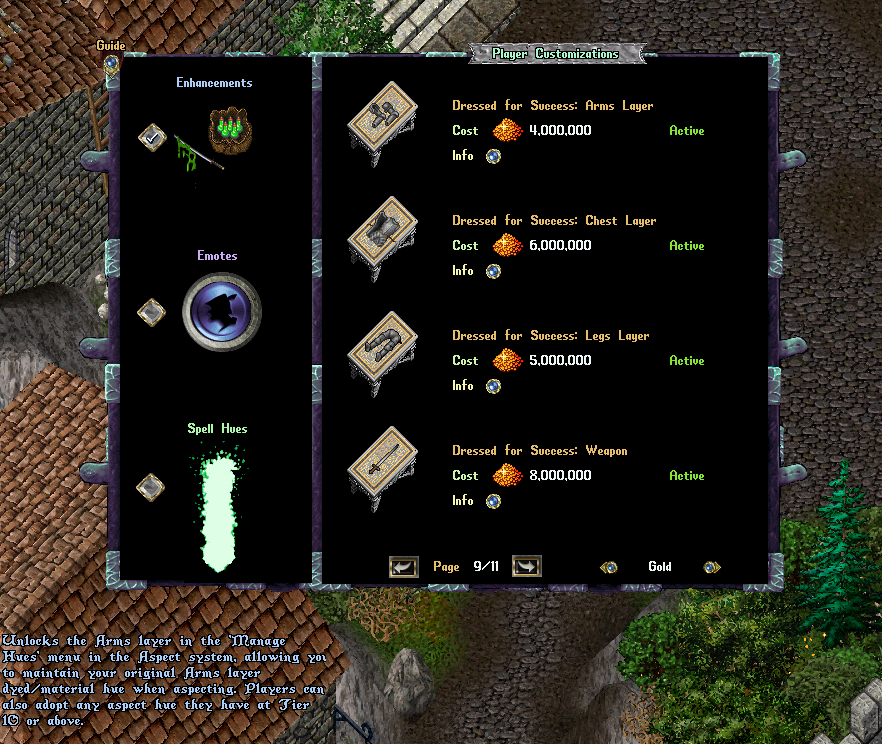
- All variants of the ‘Dressed for Success’ customization have been updated with the following description: “Unlocks the X layer in the ‘Manage Hues’ menu in the Aspect system, allowing you to maintain your original X layer dyed/material hue when aspecting. Players can also adopt any aspect hue they have at Tier 10 or above.”
- These customizations will now allow a player to use the Manage Hues page of the Aspect menu to set an Aspect Hue to adopt for specific layers (overriding the newly activated Aspect’s hue) from among any Aspects they have at Tier 10 or above (explanation below)
Aspects
- Fixed an outlier issue where players could move Aspect Gear off their character and the gear would still maintain an aspect
Aspect Gear Hues
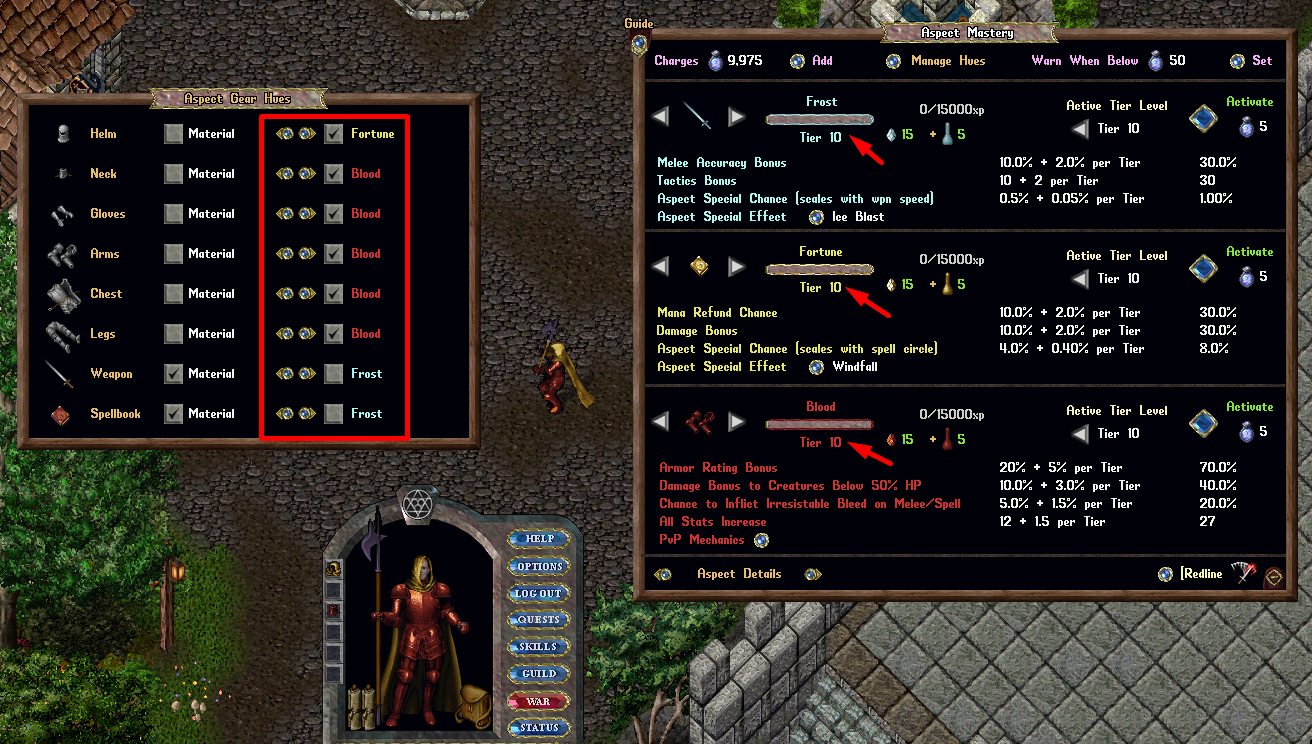
- The Manage Hues feature of the Aspect system now allows players who have purchased Dressed for Success customizations to adopt a different Aspect Hue to their gear layers when activating an aspect (i.e. set a hue not matching the new aspect)
- Players can use the left/right arrows for each layer in the menu to rotate through any Aspects they have reached Tier 10 or above, and select the checkbox if they wish that layer/gear to adopt that hue on Aspect Activation instead of the activated Aspect’s hue
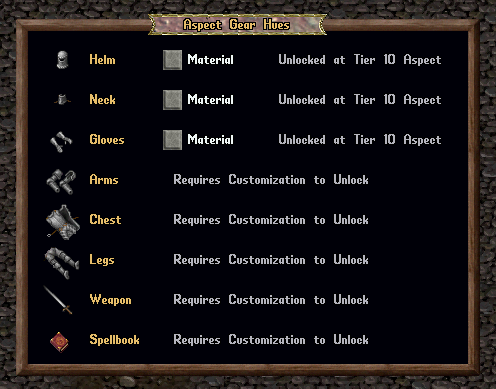
- Players will see a “Requires Customization to Unlock” message next to each layer that does not yet have the required Dressed For Success customization purchased
- Players will see “Unlocked at Tier 10 Aspect” next to each layer if they have purchased Dressed For Success for that layer, but do not yet have any Aspects of Tier 10 or higher