




PATCH: Beta Client Test Patch
07 / 14 / 2026Updated patch notes. New changes have been marked in orange!
Action queue updates
The Action Queue has been unified and overhauled. Both Razor and the client now use the same pathways to deal with lift/drop and double click actions, which has the following implications:
There should no longer be a conflict regarding delays between Razor and Client side actions
Any lift action done by Razor will preview the item being held as it does when done via the client
The Razor Action Queue options have been disabled. Instead, you will find related options in the client under the General section.
Grid Loot Gump
Loot All button
- The Grid Loot Gump now contains a “Loot All” button that will queue all items on the corpse to be looted into your designated grab bag.
- Items will be queued in a random order when using the “Loot All” button.
- Any items that are queued this way will display a spinning animation around them.
- When clicking an item that is queued, it will be de-queued.
- While any items are queued for looting, the Loot All button will turn into a “Cancel Loot” button that will remove all items inside the corpse from the queue.
- Looting items with the “Loot All” button will apply a small extra delay.
Looting own corpse via grid loot
When the following option is enabled, the client will remember the locations of all items in your inventory and which items you wore upon your death.
When using the “Loot All” button, it will:
- Place those items back to their remembered locations
- Attempt to equip any worn equipment unless another item is already blocking that layer
Open Corpse button
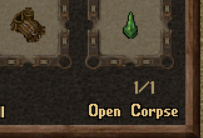
A new Open Corpse button has been added that allows you to add the corpse container from the Grid Loot gump even if you have the “Grid Loot only” option enabled.
Snooping
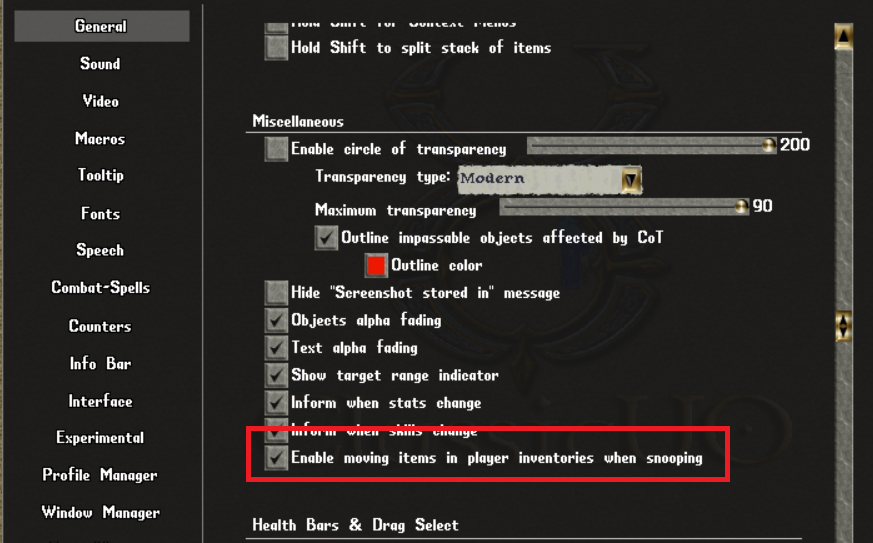
- From now on, when opening another’s inventory while you have at least 50 snooping and the following option enabled, you will be able to visually sift through their items.
- Sifting through items this way will only visually move them for the player doing the snooping and will not have any effect on the actual location for the item.
- Re-opening the container resets the item’s positions to their original positions.
Stealing & Thief’s Target
Thief’s target
- The stealing skill target cursor can now only be executed by manually clicking or by using the thief’s target.
- Thief’s target is a special last target variable that only exists in the client
- You can only ever have one thief’s target
- You can only assign items as the thief’s target that are inside another player’s inventory
- You can’t assign any item worn or held by a player as the thief’s target
- You can’t assign any item on non-player NPCs as the thief’s target
- After assigning an item as the thief’s target, it expires after 60 seconds
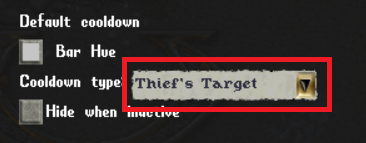
- A new cooldown type was introduced to keep track of the thief’s target expiration
- The thief’s target can be assigned with a newly added client macro
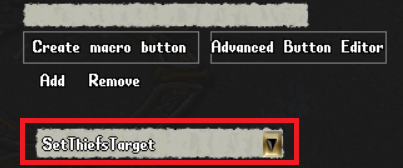
- You can only use the stealing target (meaning the target cursor from the stealing skill) to target the thief’s target
- You can either use the steal thief’s target client macro
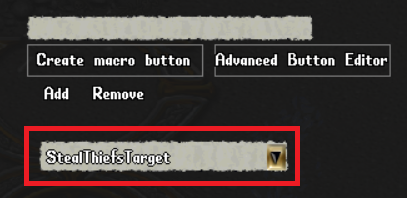
- Or you can automatically target the thief’s target by targeting yourself with the stealing target
- You can NOT set the thief’s target using Razor
- You CAN use Razor target self with a stealing target up to trigger it using the thief’s target
As a result of these changes, regular “last target” handling is completely decoupled from stealing target handling.
Counters & Inventory
- Counters should now always show the correct inventory counts at any point, for both worn and nested containers in a player’s inventory even if the container wasn’t manually opened. This should fix the “satchel bug”.
- EVEN MORE fixes for the “satchel bug” (please test if you still find outliers)
- Removed the Razor “auto search containers” option as it’s now obsolete
Targeting
- Fixed the client side “last target” macros using the ground for targets like explosion potion even though a mobile was targeted previously. They should now remember the mobile when a mobile was targeted instead if its previous ground location.
Targeting also has received several updates:
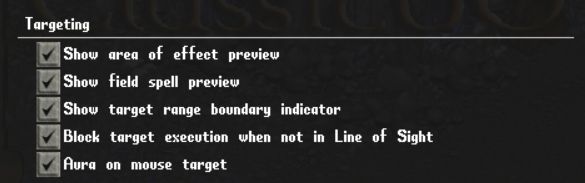
- Each of the options needs to be enabled under
Options=>General=>Targeting - Field spells can now preview their approximate field placements on the target cursor (but not whether a field will be blocked by a tile)
- AoE spells can preview the area they affect using the color configured in Combat-Spells => Intention Hues based on the spell’s intention colors
- Targets with a range limit can now display the range as a ring around the player
- Targets with a range limit will now not execute if the cursor is aimed at a tile that is out of range
- Targets that require line of sight will now not execute if the target is aimed at a ground spot that would result in a “target cannot be seen” result that would previously lose the target