




The PvP Patch Has Arrived!
02 / 25 / 2026A massive update to competitive play is live!
Highlights:
- Battle Mana Recovery – Get mana back for kills, especially when fighting outnumbered.
- Battle Hamstring – Stronger hamstring effects in organized PvP events and Factions for crowd control
- Proving Grounds – New 3v3-5v5 team arena with customizable rules, old school mechanics (no scripts, health bar decay and disabled bar swipe), and full match stats.
- Factions Overhaul – OutlandsID-based scoring, higher kill values, new Faction Bosses, and Triumph Fragment rewards.
- PvP Events Boosted – More points for kills, changes to Corpse Creek Contest, and new event-hued rewards across events.
- Combat Rule Tweaks – Magic Reflect cooldown added and Telekinesis flagging changes.
- New Rewards – a variety of new rewards have been added to the PvP Event category
Read the full Patch Notes on our forums or read below:
PVP PATCH:
Battle Mana Recovery
- When players kill another player during an organized PvP activity, if they are in a group of equal or lower numbers than their opponents, they may qualify for Battle Mana Recovery
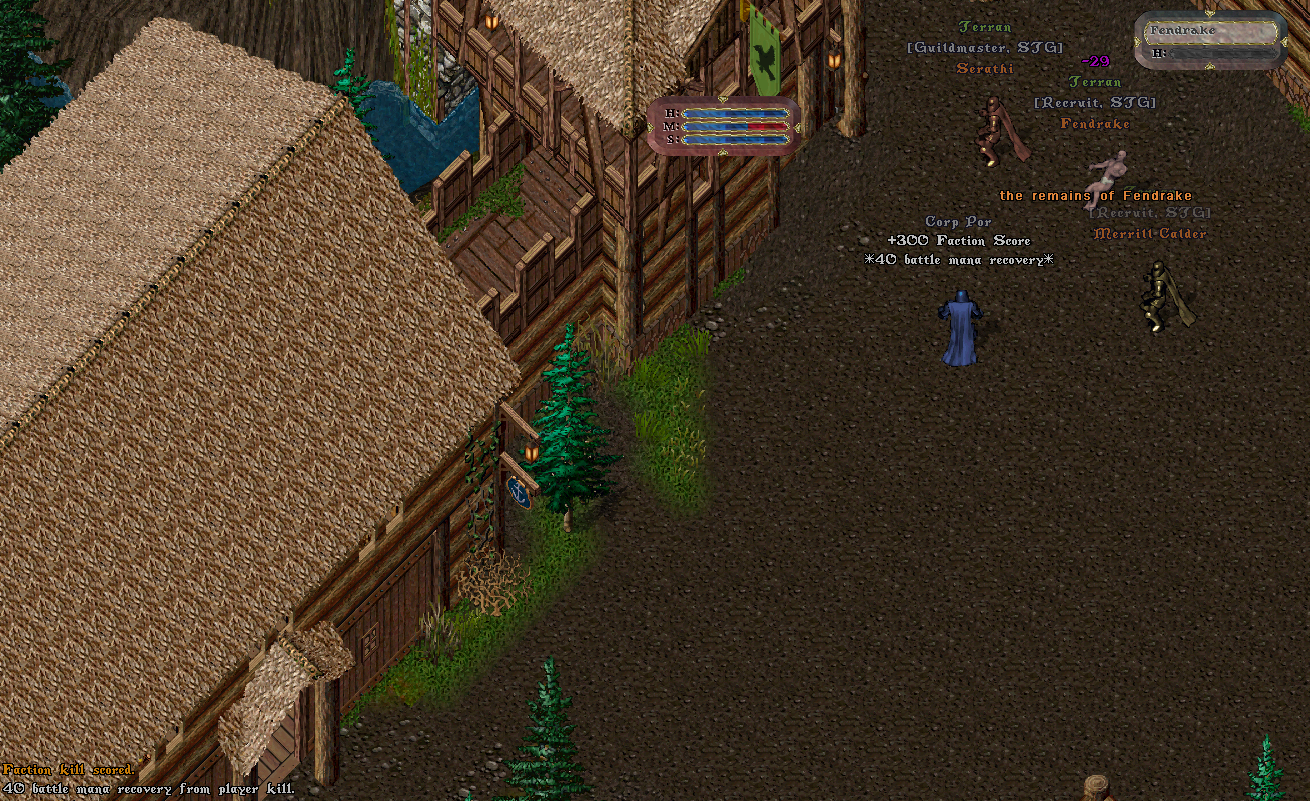
Note: For this mechanic, we will refer to the damaging player(s) as “Attacker(s)” and the dead player as the “Defender”
Qualifying PvP Activities
Battle Mana Recovery is possible during the following activities:
- Town Struggle
- Corpse Creek Contest
- Dungeon Flashpoints
- Stygian Rifts
- Factions (Valid Locations or Upgraded Score Kills only)
- Proving Grounds (new)
Qualifying for Battle Mana Recovery
When a player dies during a qualifying PvP activity, each Attacking player can have Battle Mana Recovery occur if all of the following are true for them:
- Attacker was within 18 tiles of the Defender
- Attacker inflicted at least 15 damage to the Defender within the last 30 seconds (amount resets if defender ever reaches 100% health, however)
- Attacker has not had a Battle Mana Recovery occur within the last 5 seconds
Group Sizes
- The amount Mana a player will potentially recover is based on the Attacker Group Size compared to Defender Group Size
Attacker Group Size
- The Attacker Group Size includes the Attacker and all other living players that flag as Green to the attacker within 18 tiles of the Attacker
Defender Group Size
- The Defender Group Size includes the Defender (dead) and all other living players that flag as Orange to the attacker within 18 tiles of the Attacker
Example
During a Dungeon Flashpoint, a player and their guildmate fight a group of 3 opposing guild players and kill 1 of them (leaving 2 alive)
In this scenario the Attacker Group Size is 2 and the Defender Group Size is 3
Mana Recovery Amounts
- Mana Recovery Amounts are determined based on the Attacker Group Size compared to the Defender Group Size
- Mana Recovery Amounts are resolved as a percent % of the players Max Mana
- If the Attacker Group Size outnumbers the Defender Group Size, they will not qualify for any Mana Recovery
- If the Attacker Group Size is equal to the Defender Group Size, they will receive 10% Mana Recovery
- If the Attacker Group Size is smaller than the Defender Group Size, they will also receive a bonus amount of Mana Recovery based on the Group Size Difference
- Players can receive a maximum of 50% Mana Recovery
Mana Bonuses for Extra Players:
Attacker Group Size of 1: 15% * Group Size Difference
Attacker Group Size of 2: 13% * Group Size Difference
Attacker Group Size of 3: 12% * Group Size Difference
Attacker Group Size of 4: 11% * Group Size Difference
Attacker Group Size of 5: 10% * Group Size Difference
Attacker Group Size of 6: 9% * Group Size Difference
Attacker Group Size of 7: 8% * Group Size Difference
Attacker Group Size of 8: 7% * Group Size Difference
Attacker Group Size of 9: 6% * Group Size Difference
Attacker Group Size of 10+: 5% * Group Size Difference
Examples
[1 vs 3]: 10% + (2 * 15%) = 40% Mana Recovery
[2 vs 1]: (attackers outnumber enemy) = No Mana Recovery
[3 vs 3]: (both groups same size) = 10% Mana Recovery
[3 vs 6]: 10% + (3 * 12%) = 46% Mana Recovery
[5 vs 9]: 10% + (4 * 10%) = 50% Mana Recovery
[8 vs 10]: 10% + (2 * 7%) = 24% Mana Recovery
[8 vs 13]: 10% + (5 * 7%) = 45% Mana Recovery
A solo player kills another player who is part of a group of 3, and the solo player receives 40 Mana from the kill (due to being outnumbered by 2 players)
Hamstring
Organized PvP Activities
The following activities are considered Organized PvP Activities for the purpose of Hamstring:
- Town Struggle
- Corpse Creek Contest
- Dungeon Flashpoints
- Stygian Rifts
- Factions (Valid Locations)
- Proving Grounds (new)
Battle Hamstring
- When attackers inflict Hamstring on another player during an Organized PvP Activity, if the attacking player has 80 or more Raw Dexterity, they can apply a more powerful version of hamstring called Battle Hamstring
- Additionally, if the attacker is outnumbered in combat, they can further upgrade the Battle Hamstring to become a “Greater Battle Hamstring”
Applying Battle Hamstring
- When an attacker applies Hamstring during an Organized PvP Activity, and has 80 or more Raw Dexterity (before factoring in Potions or Spell effects), they will instead inflict Battle Hamstring (or potentially Greater Battle Hamstring)
- Battle Hamstring and Greater Battle Hamstring count as “normal” Hamstring for the purposes of a player’s cooldowns for having a Hamstring effect inflicted on them
Effects of Battle Hamstring
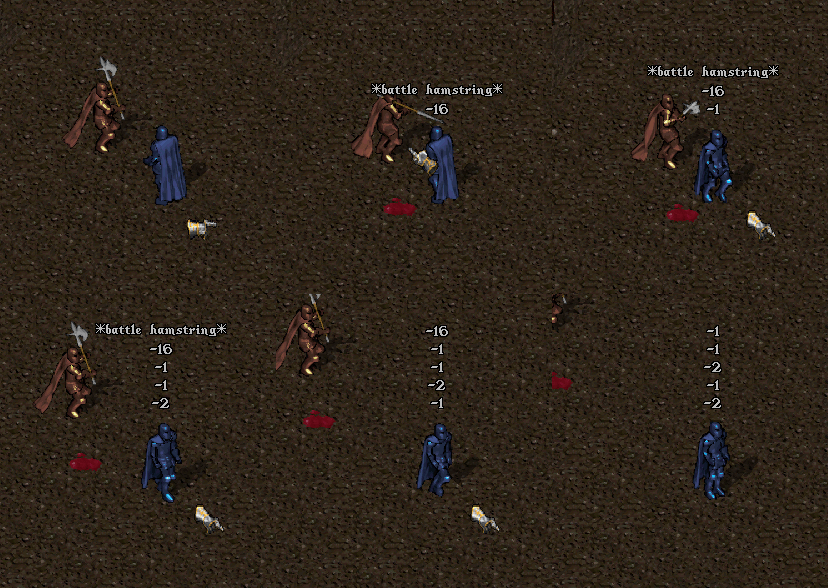
- Duration of 4 seconds (instead of normal 3 seconds)
- While Battle Hamstring is in effect, victim takes 1-2 Unpreventable Health Loss for each movement step taken while above 2 Hit Points (i.e. they cannot die from the effect directly)
Greater Battle Hamstring
- If an attacker lands a Battle Hamstring on a target, and the attacker has more Enemy (orange) players than Friendly (green) players within 18 tiles of them, they will upgrade the Battle Hamstring to a Greater Battle Hamstring
- Greater Battle Hamstring has a Duration of 5 seconds
- While Greater Battle Hamstring is in effect, victim instead takes 2-3 Unpreventable Health Loss for each movement step taken while above 3 Hit Points (i.e. they cannot die from the effect directly)
Magic Reflect
- Players Flagged in PvP will now have a 60 second cooldown before they can recast Magic Reflect
- Players with a Magic Reflect cooldown in place who attempt to cast the spell will now a receive a system message telling them how much time remains before they can recast
Telekinesis
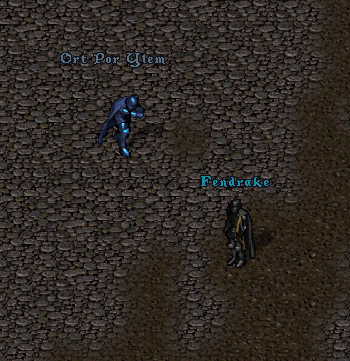
- Casting Telekinesis on a non-Friendly Player (not green) is now considered a Harmful action and will be considered Criminal if target is Innocent (blue)
Rental Rooms
- Players cannot enter Rental Rooms while participating in a Town Struggle or Corpse Creek Contest and inside those respective zones
- Players cannot enter Rental Rooms while Flagged in PvP and participating in Factions
Factions
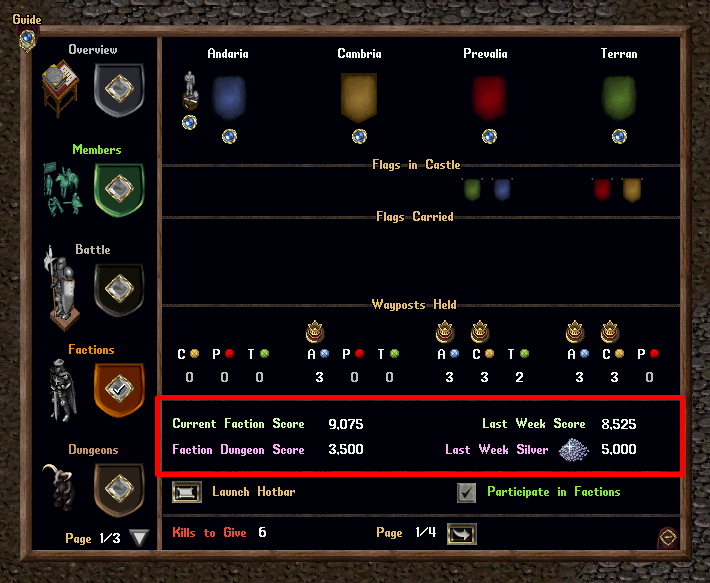
- Faction Score, Dungeon Score, and Faction Silver for players are now stored on an OutlandsID basis (combining all characters and accounts)
- This change will fix an occassional issue players experienced when combining Faction Dungeon score from characters on one account to Current Faction Score from characters on other accounts
- Additionally, the “Last Week Score / Last Week Silver” values should now properly display as 0 if a player did not participate in Factions during the previous week
Faction Silver and Aspect Triumphs
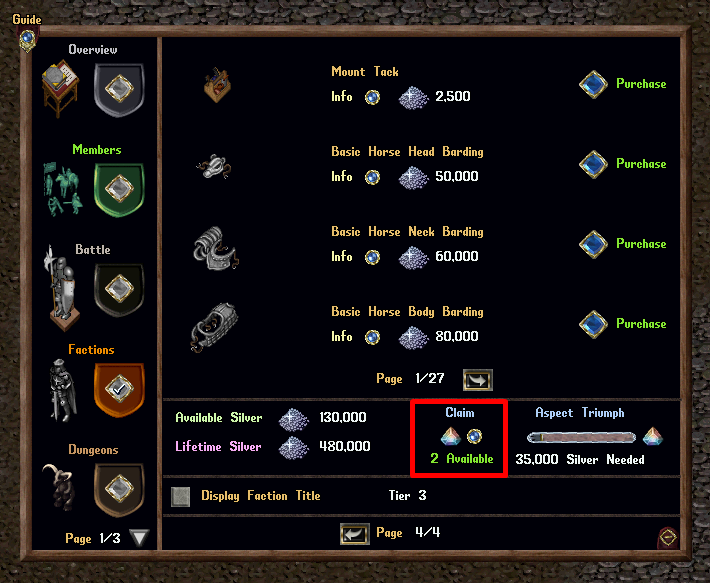
- Existing amounts of Available/Lifetime Faction Silver and Aspect Triumph Progress from a player’s accounts are now combined together onto their OutlandsID can be accessed by any character on their account who can access the Factions menu
- Aspect Triumphs earned during Tabula Rasa will no longer automatically go into a player’s Bank Box
- Instead, they are now banked on their OutlandsID and can be claimed at any point
- To claim an Aspect Triumph, players can to click the “Claim” button from the Faction Menu to receive them, which will be placed into their Bank Box
Achievements
- While Faction score is tracked on an OutlandsID basis, the Achievement system is still Account-based
- During Tabula Rasa, progress for Faction Achievements are given to the most active Faction character on the player’s OutlandsId (based on highest contribution to Faction Score)
Faction Player Counts
- During Tabulsa Rasa when populations for each Faction are calculated, only the most active Faction character on each OutlandsID from that previous week will count towards that Faction’s population
- I.e. a player participating in Factions on 10 different characters will now only count as 1 character towards a Faction’s population total
Faction Kills
- Faction Kills are now worth 250 Faction Score (previously was 150)
- Upgraded Faction Kills are now worth 500 Faction Score (previously 300)
- Flag Carrier Kills are now worth 750 Faction Score (previously was 450)
Faction Harmful Actions
- Players will no longer be prevented from harming members of the same Faction while at Grey Zone locations, including at Contested Bosses
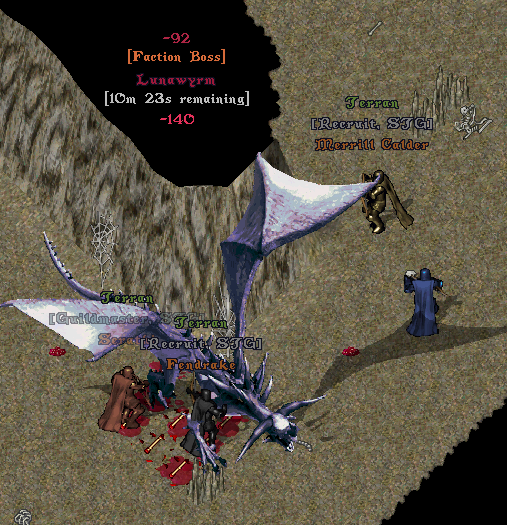
Faction Bosses
- Currently, Faction VIPs or Faction Caravans occur as Random Faction Events throughout the day, appearing at random intervals
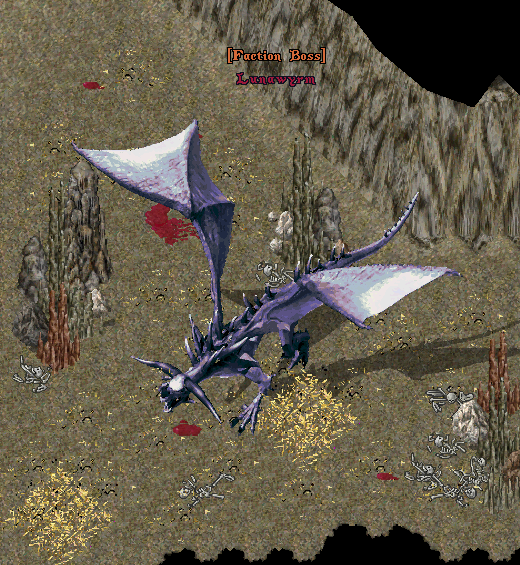
- Every 5th Random Faction Event that occurs will now instead be a Faction Boss that will spawn in a random location within the 1st level of the current week’s Faction Dungeon
Faction Boss Spawns
- Players will receive an announcement 2 minutes prior to the Faction Boss spawning, which will indicate the current week’s Faction Dungeon

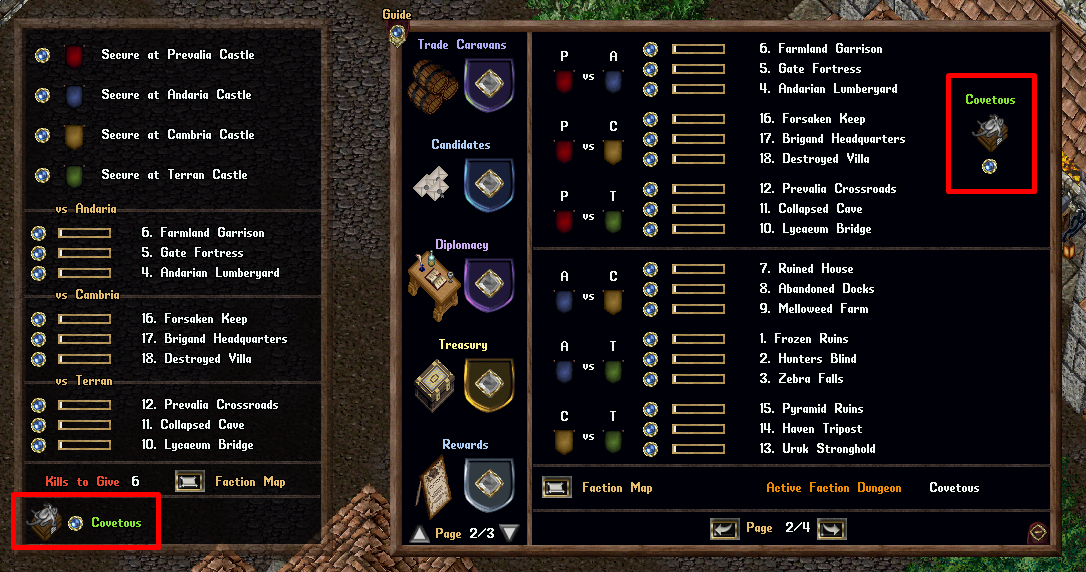
- A Faction Boss icon will appear in the Faction Hotbar and Faction Guild Menu if a Faction Boss is set to spawn shortly or has already spawned
Faction Boss Mechanics
- Faction Bosses are considered a Boss for any PvM mechanics that apply to Bosses
- Faction Bosses will automatically despawn after 15 minutes, if not killed by players
Faction Boss Scaling
- Faction Bosses will *Increase in size* similar to normal bosses when damaged by players, albeit at a different scaling for Hit Points, Damage Increases, etc
Faction Boss Resolution
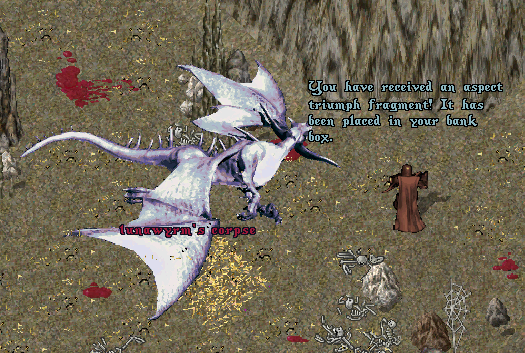
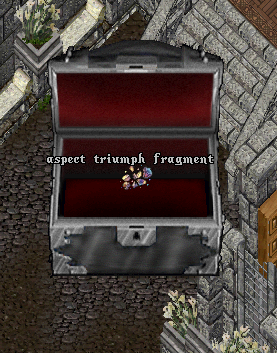
- When the Faction Boss is either killed or despawns, a number of players will receive an Aspect Triumph Fragment (sent to their bank box), based on the number of *Increases in Sizes* that occured (with a max cap for total players set)
- The chance for a player to receive an Aspect Triumph Fragment is scaled based on their damage dealt to the Faction Boss, ignoring all “Group Bonus Scalars” or “Party XP Sharing” mechanics (i.e. only considers “true” damage)
Faction Score
- Players will also earn 150 Faction Score for every 1% of the damage dealt to the Faction Boss that comes from their character, up to a maximum of 750 Faction Score (similar to Contested Bosses)
Aspect Triumph Fragments
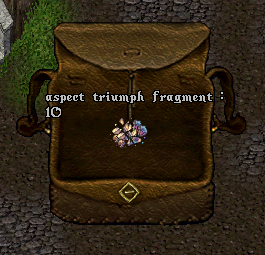
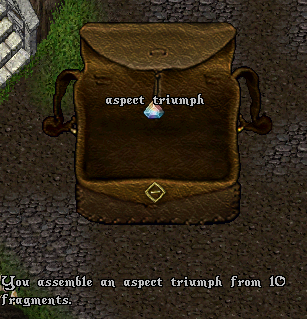
- Players can double-click a stack of 10 Aspect Triumph Fragments to consume them and create 1 Aspect Triumph
TEST SHARD
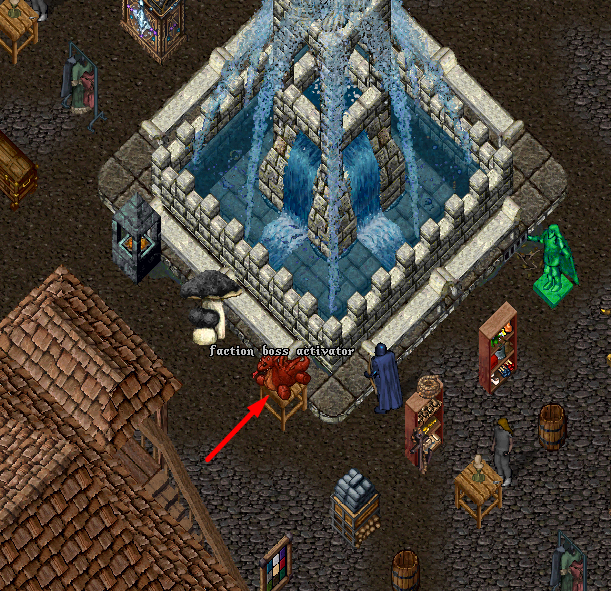
- Players on the TEST SHARD can double-click to the Faction Boss Activator to trigger a Faction Boss to occur as a Random Faction Event (if one is not currently spawning/spawned)
PvP Events
Corpse Creek Contest
Beacons
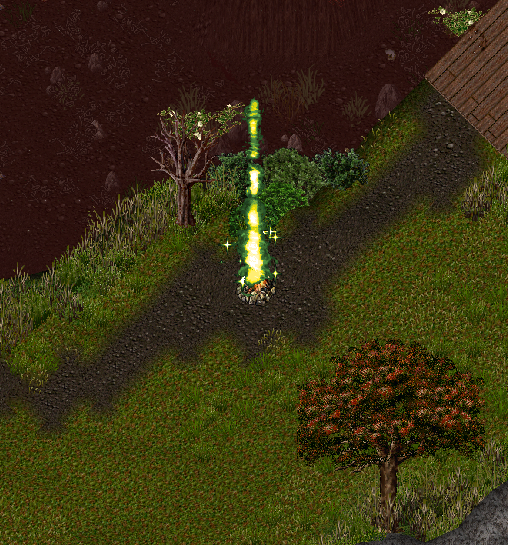
- Corpse Creek Contests will return to having 1 Gold Beacon and 2 Green Beacons, with locations for Beacons randomized
Gold Beacon
- Worth 20 Points per tick if Controlled
- Worth 5 Points per tick if Contested
Green Beacons
- Worth 10 Points per tick if Controlled
- Worth 5 Points per tick if Contested
Player Kills
- Player Kills are now worth 60 Team Score (previously was 40)
- Player Kills are now worth 60 Individual Score (previously was 40)
Town Struggles
- Player Kills are now worth 30 Team Score (previously was 15)
- Player Kills are now worth 30 Individual Score (previously was 15)
Dungeon Flashpoint
- Player Kills are now worth 60 Team Score (previously was 40)
- Player Kills are now worth 60 Individual Score (previously was 40)
Stygian Rifts
- Player Kills are now worth 200 points (previously was 100)
Rewards
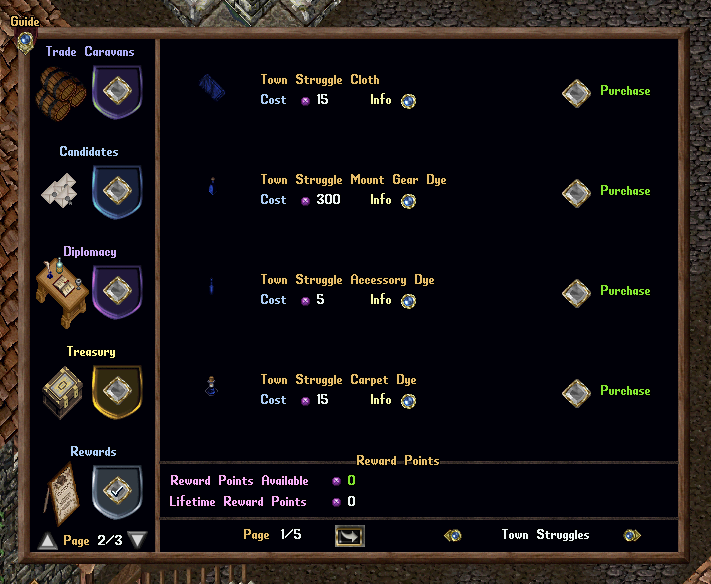
Event-Hued Reward items have been added to the Rewards page for Town Struggles, Dungeon Flashpoints, Corpse Creek Contests, and Stygian Rifts including the following:
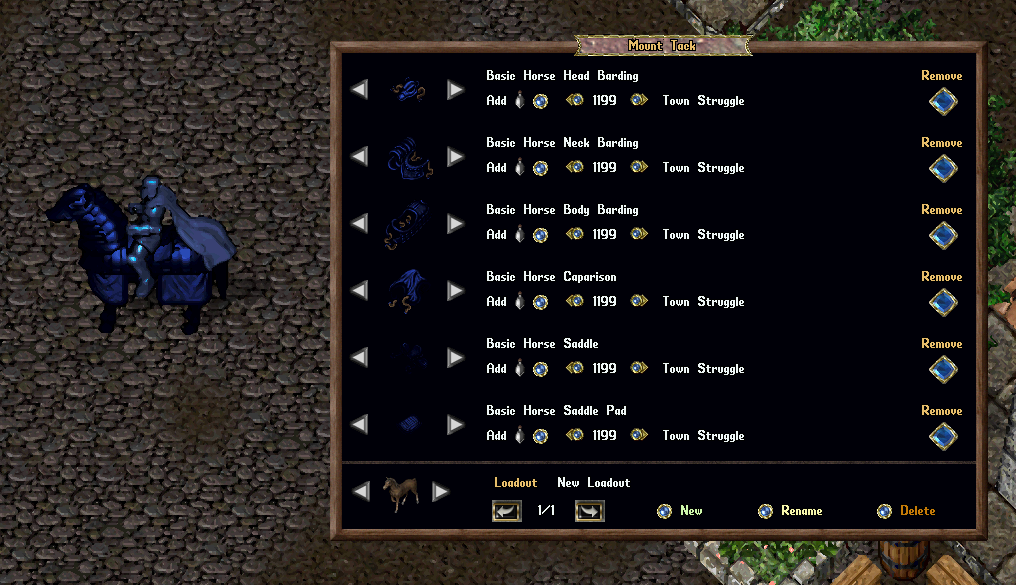
- Mount Gear Dye
- Accessory Dye
- Carpet Dye
- Spell Hue Deed
- Furniture Dye
- Runebook Dye
- Backpack Dye
- Headwear Dye
- Lantern
- Hair Dye
- Facial Hair Dye
- Mastery Chain Dye
Arena
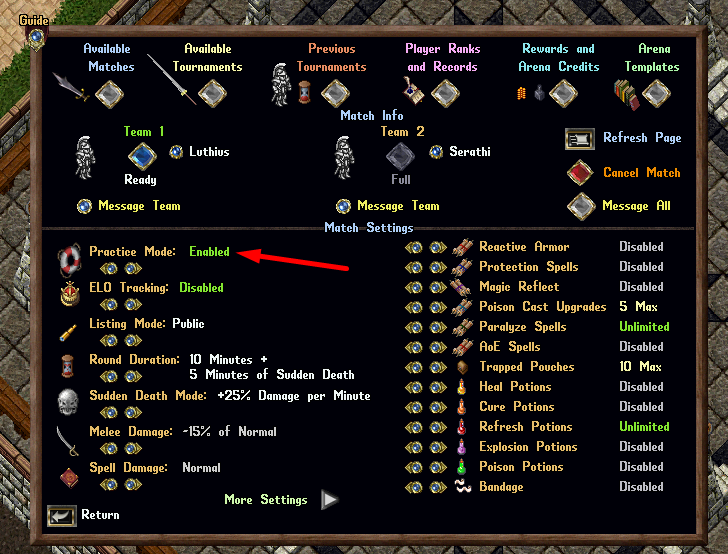
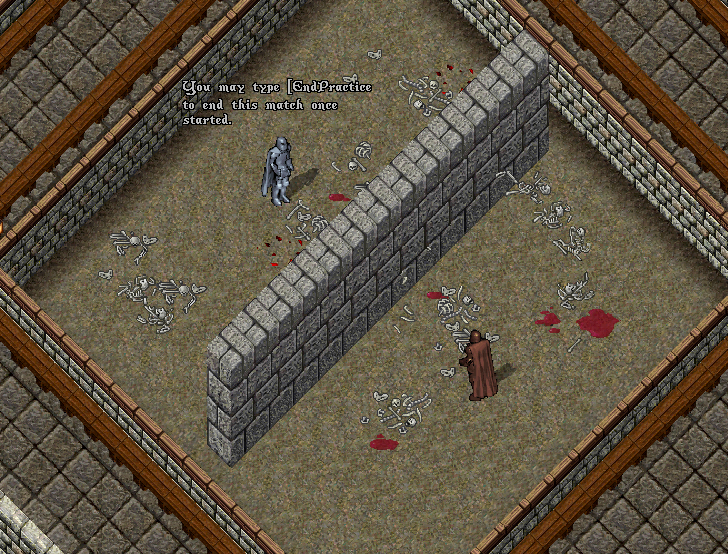
- Players participating in a Arena Duel with the Practice Mode setting enabled can now use the [EndPractice command to end the match early
Arena Torches
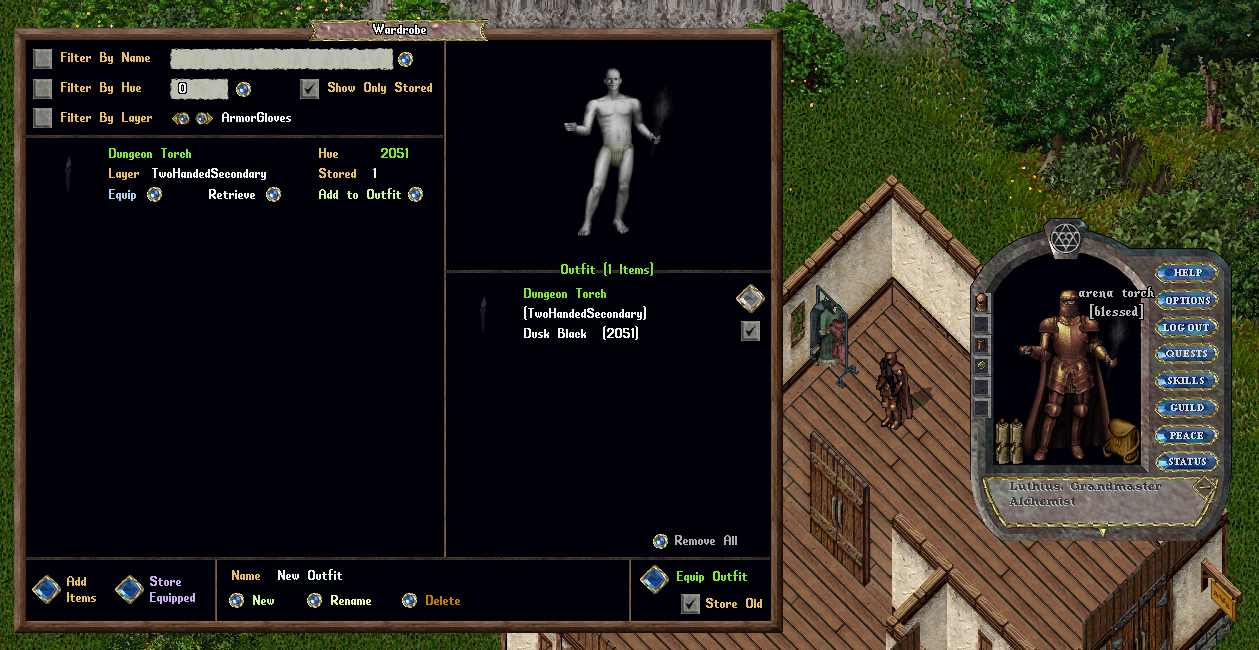
- Fixed an issue where Arena Torches would lose their intended graphic and displayed name when placed into and retreived from Wardrobes
- Existing Arena Torches will have their graphic and displayed name corrected
Proving Grounds
The Proving Grounds is an competitive Arena-based system where players battle each other in teams of 3-5 for bragging rights
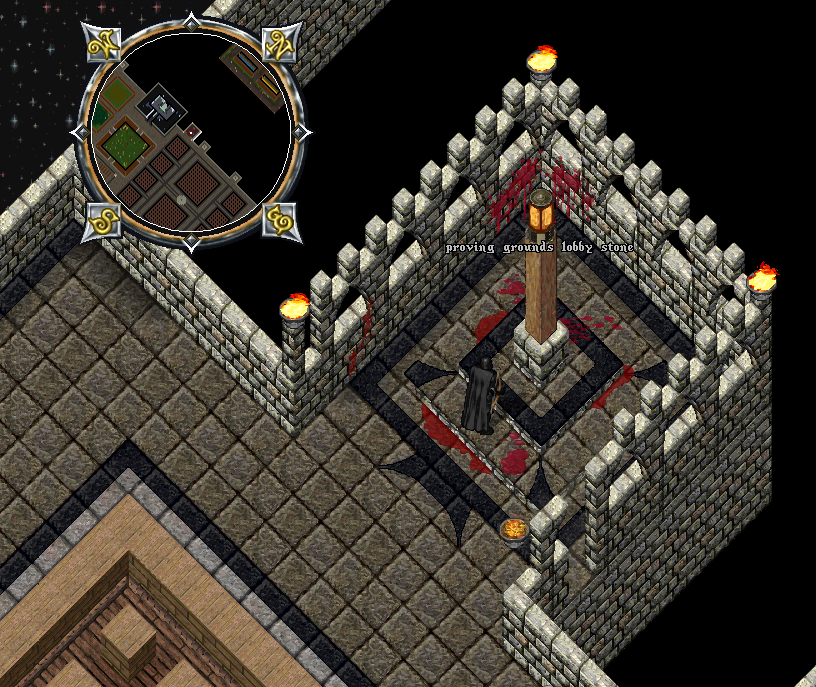
Proving Grounds Stone
- To participate in Proving Grounds, players must visit the Arena and use the Proving Grounds Lobby Stone to access the Lobby Menu
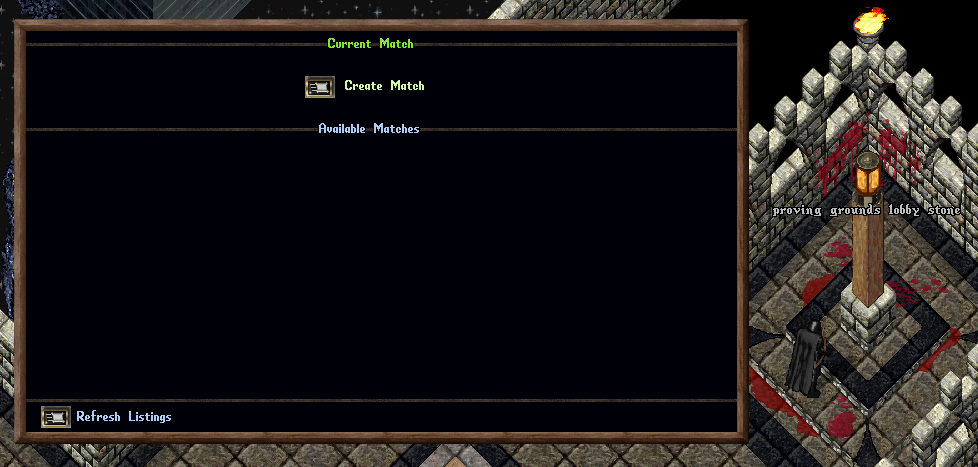
Proving Grounds Lobby Menu
- The Proving Grounds Lobby Menu functions similarly to the Arena Stone where players can join Teams and create Matches
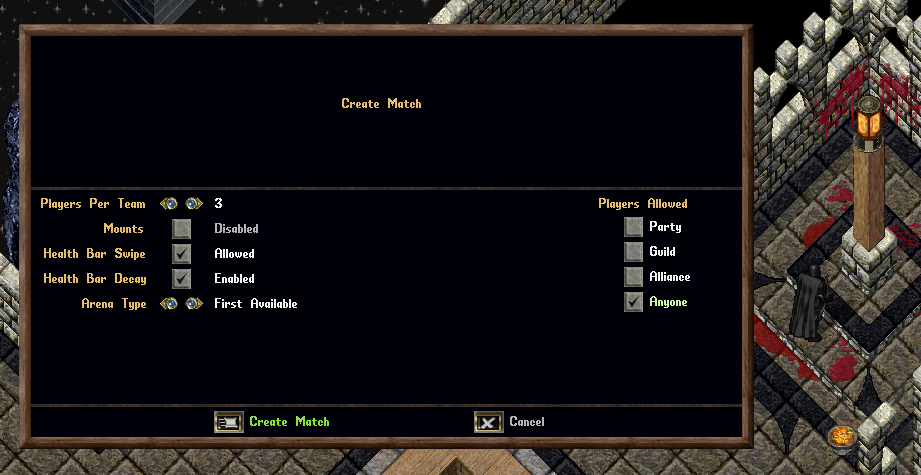
- Players can create a Proving Grounds Match by clicking the “Create Match” button at the top of the menu
Players can configure the following settings for a Proving Grounds Match:
- Players Per Team: 3, 4, or 5 Players
- Mounts: Allowed or Disabled
- Health Bar Swipe: Allowed or Disabled
- Heath Bar Decay: Enabled or Disabled
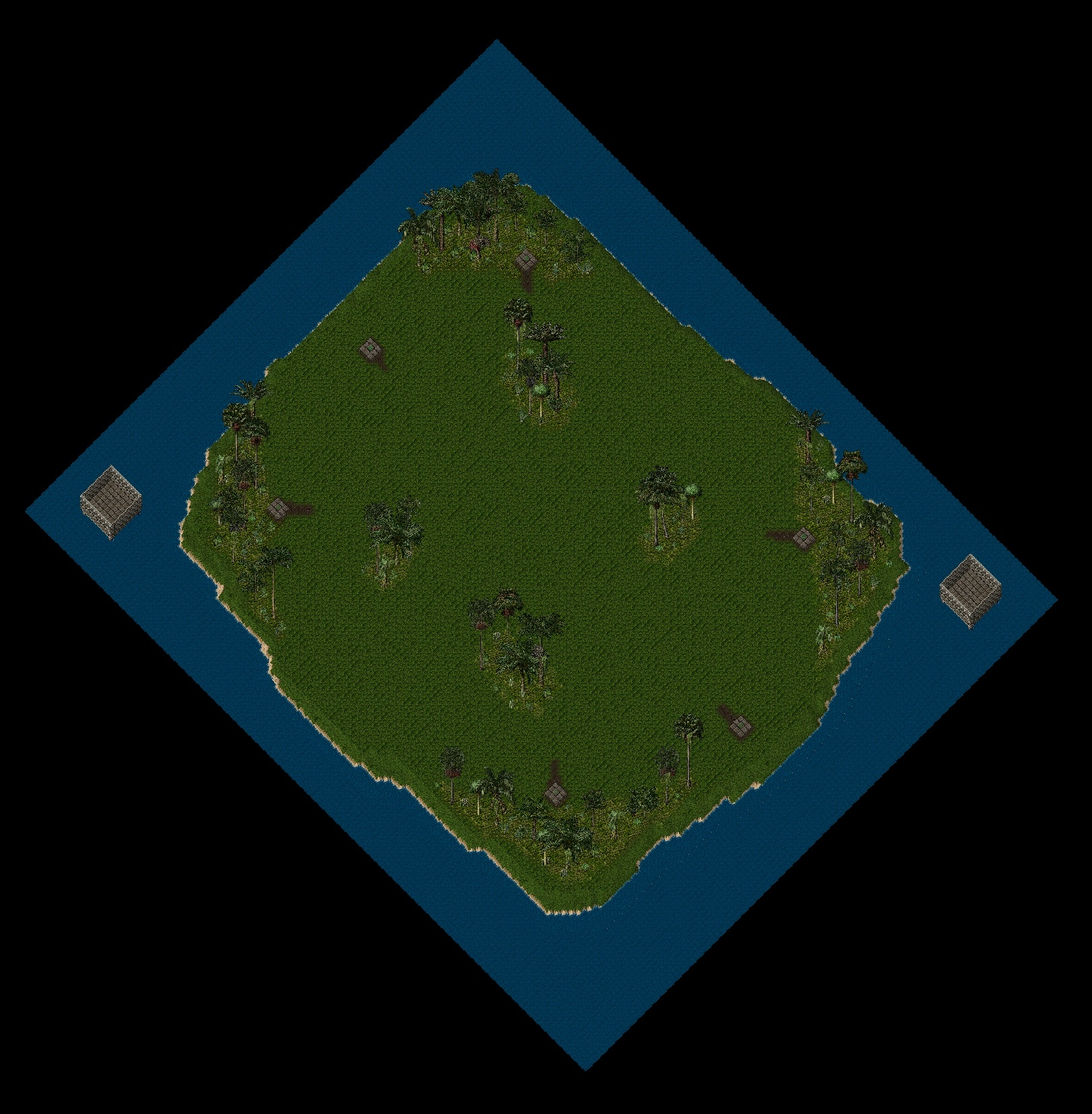
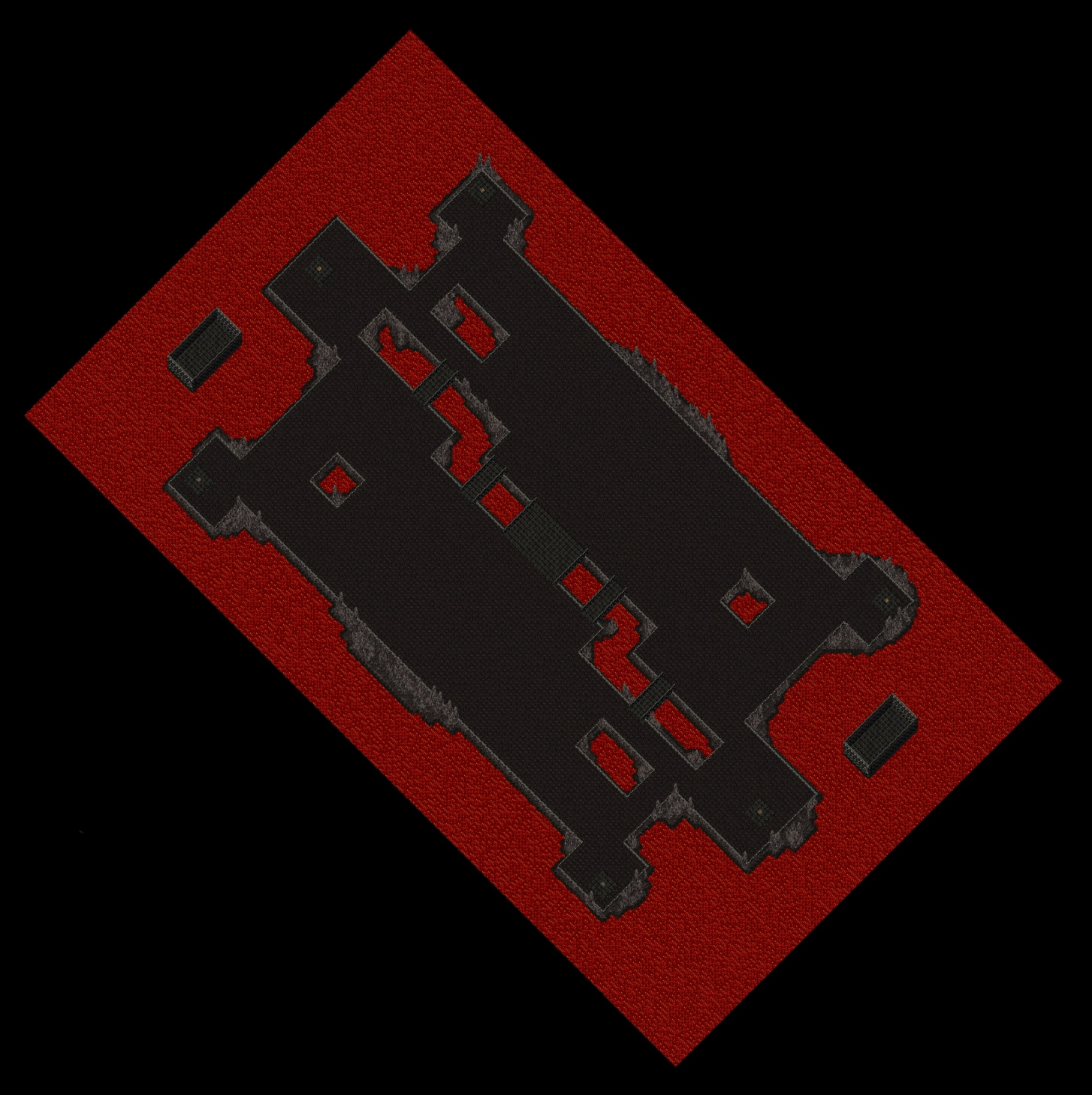
- Arena Type: First Available, Hellscape, or Tropical
- Players Allowed (who can join match): Party, Guild, Alliance, or Anyone
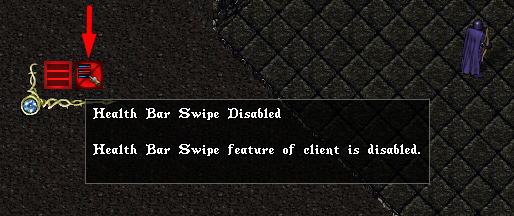
Health Bar Swipe
- If the Health Bar Swipe setting is diabled, players will not be able use the Health Bar Swipe feature of the client that allows players to instantly gather and organize multiple Health Bars
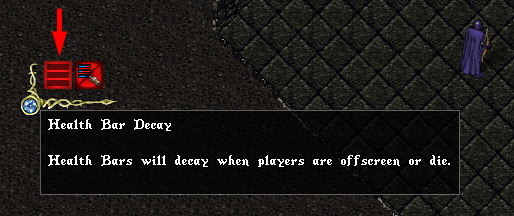
Health Bar Decay
- If the Health Bar Decay setting is enabled, any Health Bars for players will decay when players are offscreen or die
Match Listings
- If a player has created or joined a Match, it will always be listed at the top under the Current Match section
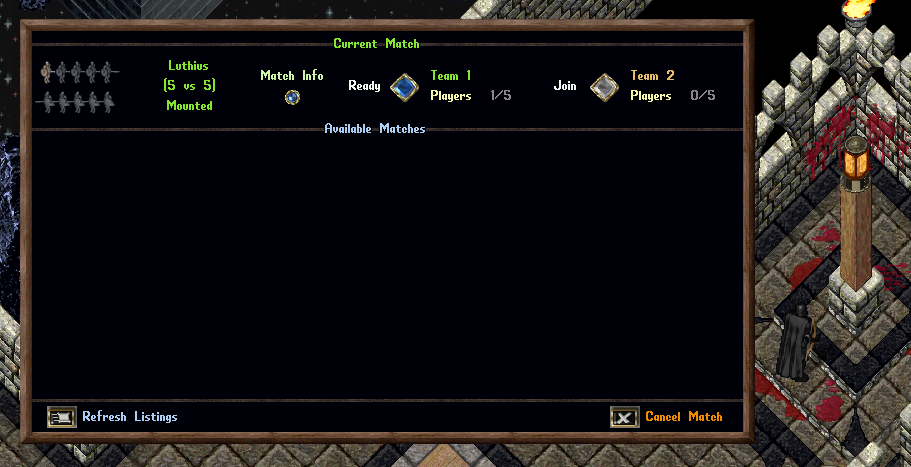
- Other matches available for the player to join will appear under the Available Matches section
- Note: Players must leave their existing match in order to join an Available Match
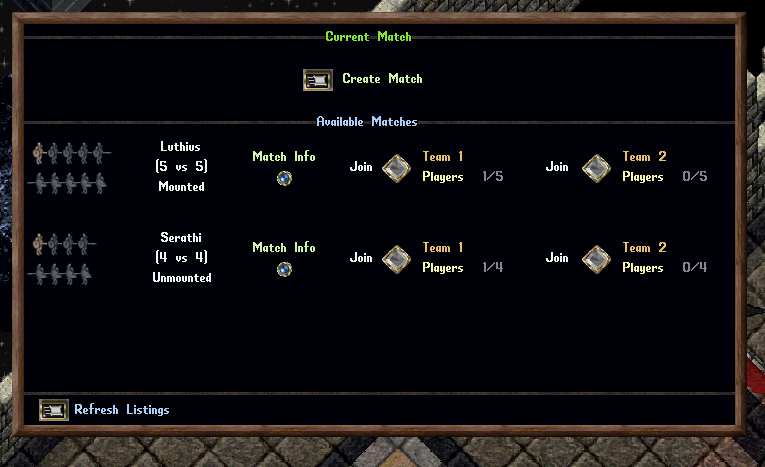
Match Players
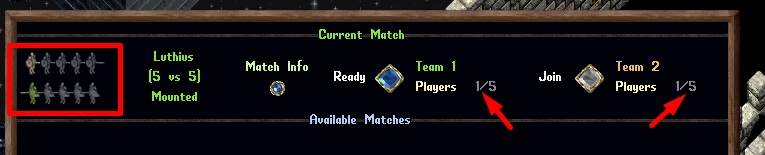
- Players can see how many players have joined each team under the “Players” text for each team’s section
- Players can see icons representing players and player slots for each team on the left side of the Match listing
- Grey icons indicate open player slots
- Tan icons indicate joined players who are not yet marked as “Ready” to fight
- Green icons indicate players who are “Ready” to fight
- Matches will only start if all teams are full of players and each player is marked as “Ready” using the Ready button in the match listing
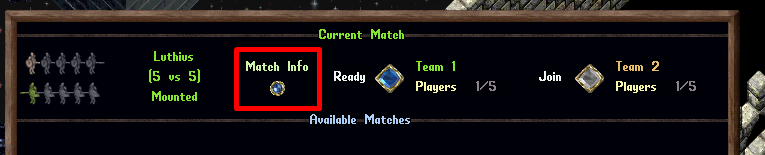
- Players can click the “Match Info” button for any Match to view more information about it, including Players and Settings
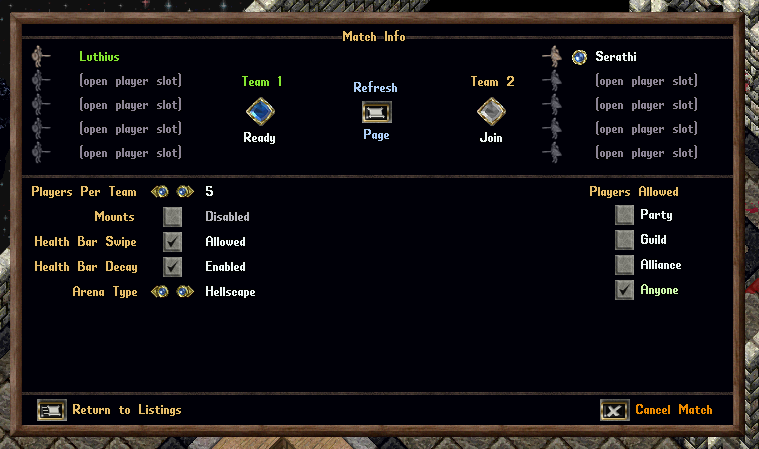
Match Info Page
- The Match Info page shows detailed info about the match include all participating Players and Settings
- The Creator of the match can kick players from the match by clicking the Orb button next to the player’s name
- The Creator of the match can change Settings for the match, but doing so will notify all players and remove their “Ready” status
Match Start
A Proving Grounds Match will start if all of the following are true:
- Each team is completely full of players and each player has clicked the “Ready” button
- Each player is within 10 tiles of the Proving Grounds Lobby Stone in the arena
- Each player has no Followers active
Combat Mechanics
- All PvM Mechanics for players (Aspects, Mastery Chains, Codexes, Redline Upgrades, etc) are disabled
- All items and equipment for players are treated as Blessed
- Similar to our PvP Events, all equipment worn by players will automatically “downgrade” and resolve as non-Colored GM quality for balancing purposes
- Similar to our PvP Events, consumable items for players (Reagents, Bandages, Potions, Arrows) will not be consumed within the Proving Grounds
- Scripts are disabled for Proving Grounds
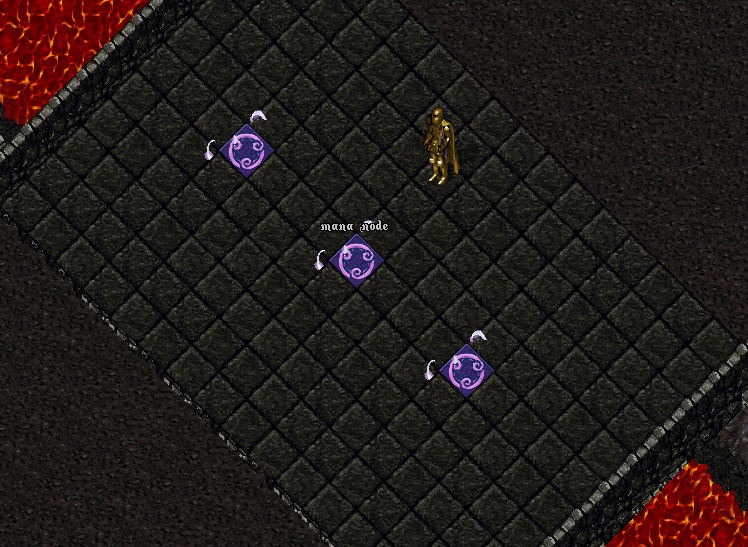
Mana Nodes
- Mana Node tiles can be found in the center of each match region
- If a player enters Active Meditation within 3 tiles of a Mana Node, they will recover an additional Mana per meditation tick while stationary
Death
- If a player dies during the Proving Grounds they will resurrected and warped to a Holding Cell for their team
- Once 20 seconds have passed since their death, they may use a Respawn Stone and select one of six Respawn Locations
- Players who respawn will be at full Health, Stamina, and Mana
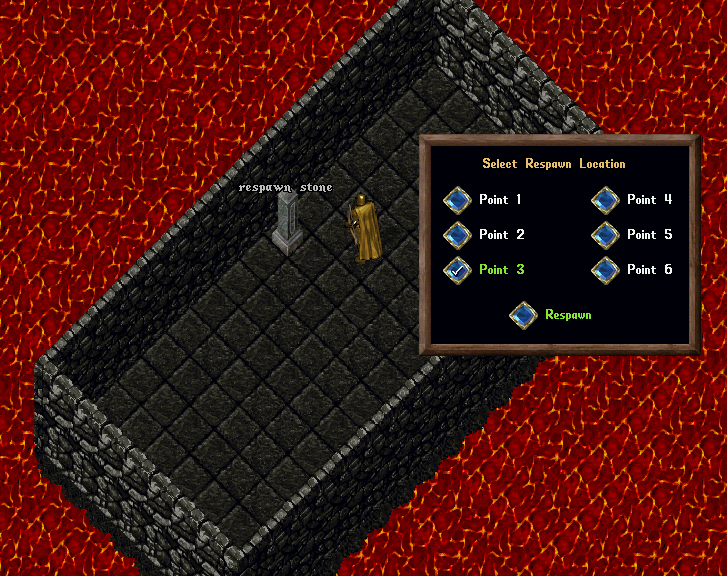
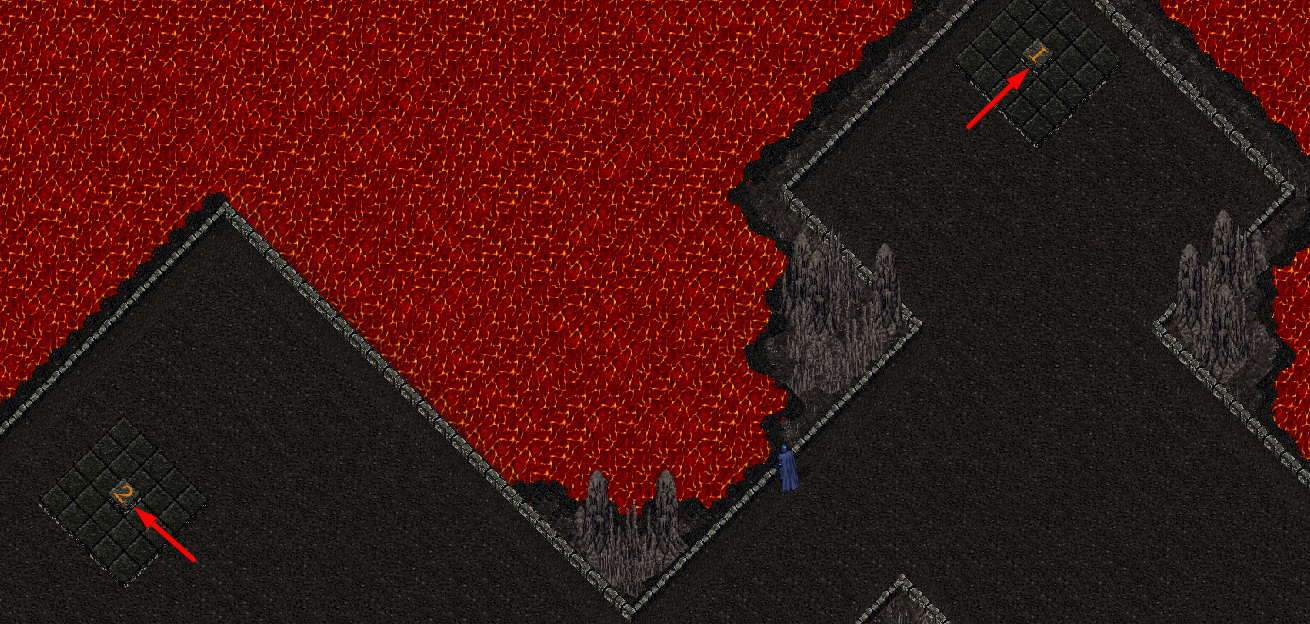
- Each Respawn point within a Proving Grounds match will be marked with a numbered tile corresponding to its button in the Respawn menu
[Concede
- Players can type [Concede anywhere within the Proving Grounds to also exit the match premptively and return to the Arena
- Players who conecede a Proving Grounds Match cannot return to the match
- Players who have conceded a Proving Grounds match will not be able to join another match until the match they left has ended
Match Duration
Matches will end if any of the following occur:
- All members of a team are in the Holding Cell, have Conceded, or are no longer Online or in the Region
- 15 minutes have passed since the start of the match
Time Remaining Messages
Players will receive a system message informing them when Time Remaining in the match reaches the following:
- 10 Minutes
- 5 Minutes
- 4 Minutes
- 3 Minutes
- 2 Minutes
- 1 Minutes
Match Resolution
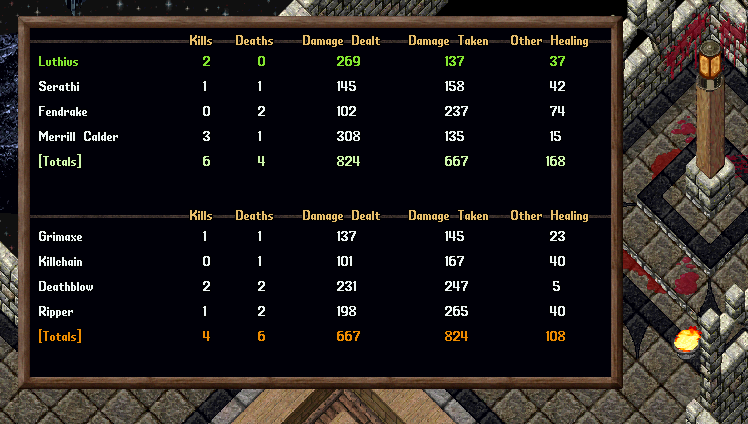
- Upon completion of a Match players will be warped back to the Arena and will see a Fight Report Menu
- The Fight Report Menu will show stats of the fight including with Kills, Deaths, Damage Dealt, Damage Taken, and Other Healing